
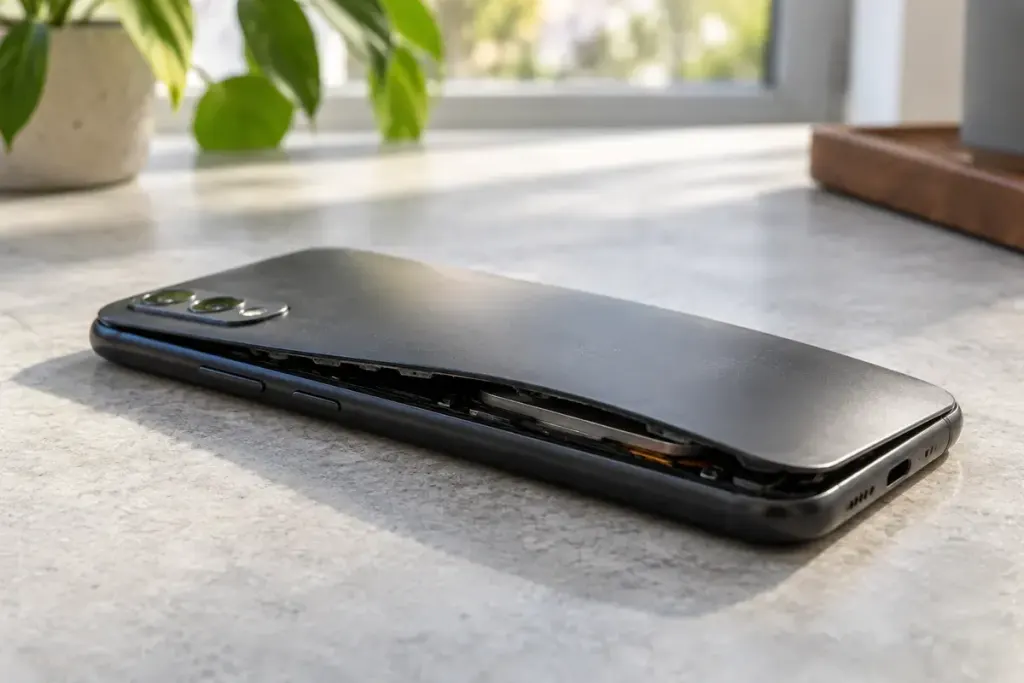
A phone case starts separating at the seam, or a laptop no longer sits flat. A swollen battery may be the cause. Pressing the cover back into place or continuing to charge the device can turn a warning sign into a more serious problem.
Stop using and charging a device with a visibly swollen battery. Do not puncture it, squeeze it or attempt to flatten it. Avoid improvising a removal method for a battery sealed inside the product. Contact the manufacturer or a qualified service provider for instructions that match the device and its condition.
The US Fire Administration’s lithium-ion battery guidance identifies changes such as swelling, excessive heat, odour and unusual sounds as warning signs. Its advice also emphasises appropriate charging equipment and responsible disposal.
Describe the condition before arranging transport
When calling a repairer or waste service, say that the battery is damaged or swollen. Ask whether they accept it, how it should be handled and whether any collection arrangement is required. Do not assume a normal parcel service or ordinary battery collection box accepts a damaged lithium-ion battery.
Keep the conversation concrete: identify the device, whether it is connected to power and whether there is heat, smoke, leakage or a smell. A photograph may help a service provider assess the case, but do not handle a deteriorating device just to obtain one.
If the device is smoking, becoming very hot or showing signs of fire, move yourself and others away and contact local emergency services from a safe place. Do not carry a burning device through the home or attempt a repair.
- Keep a record of the model and service advice.
- Tell other household members not to reconnect it.
- Follow the disposal service’s instructions rather than putting it in household rubbish.
The replacement decision can wait. Preventing another charging session and getting suitable handling advice are the immediate priorities.